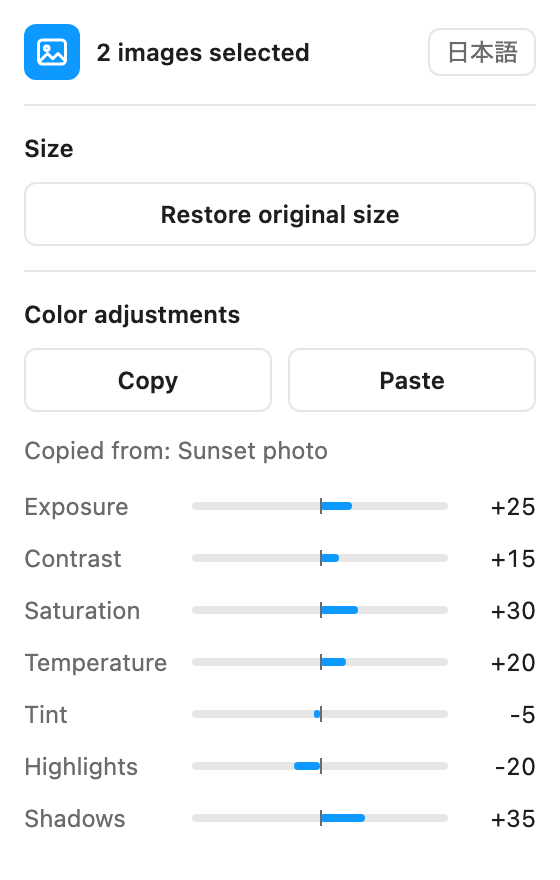
Is there a Figma plugin that copies image adjustments without changing the image?
Yes. Image Toolkit copies only the exposure, contrast, saturation, temperature, tint, highlights, and shadows values from one image and pastes them onto others. The destination image, its crop, and its opacity stay as they are.
How do I restore an image to its original size in Figma?
Select the image, open Image Toolkit, and click Restore original size. The layer returns to the full width and height of the image stored in Figma, and any crop is removed.
Why does copying and pasting in Figma replace my image?
When you copy an image fill or its properties, the image itself travels with the adjustment values. Image Toolkit copies only the values, so the image you paste onto is kept.
Can I process several images at once?
Yes. Select several images, or a frame or group, and Image Toolkit processes every image in the selection.
Will restoring the size change my color adjustments?
No. Color adjustments, opacity, and the rotation of the layer stay as they are. The crop and any rotation applied to the image inside its fill are removed.
What does "original size" mean for very large images?
It is the size of the image as stored in Figma. If Figma reduced a very large image when it was imported, the restored size is the size Figma kept.
Is Image Toolkit a subscription?
No. Image Toolkit is a one-time purchase through the Figma Community. You pay once, and the plugin stays available on the Figma account you bought it with.
Can I get a refund?
Figma handles purchases and refunds for the Figma Community. You can request an automatic refund within 24 hours of buying. Requests after that are at Figma's discretion.
Does Image Toolkit send my files anywhere?
No. The plugin has no network access. It cannot send your files, images, or personal information anywhere. Read the privacy policy.
What languages does Image Toolkit support?
The plugin panel is available in English and Japanese, and you can switch between them at any time.
 Image Toolkit